Studio on Stage - A Dawless Perspective Part 2
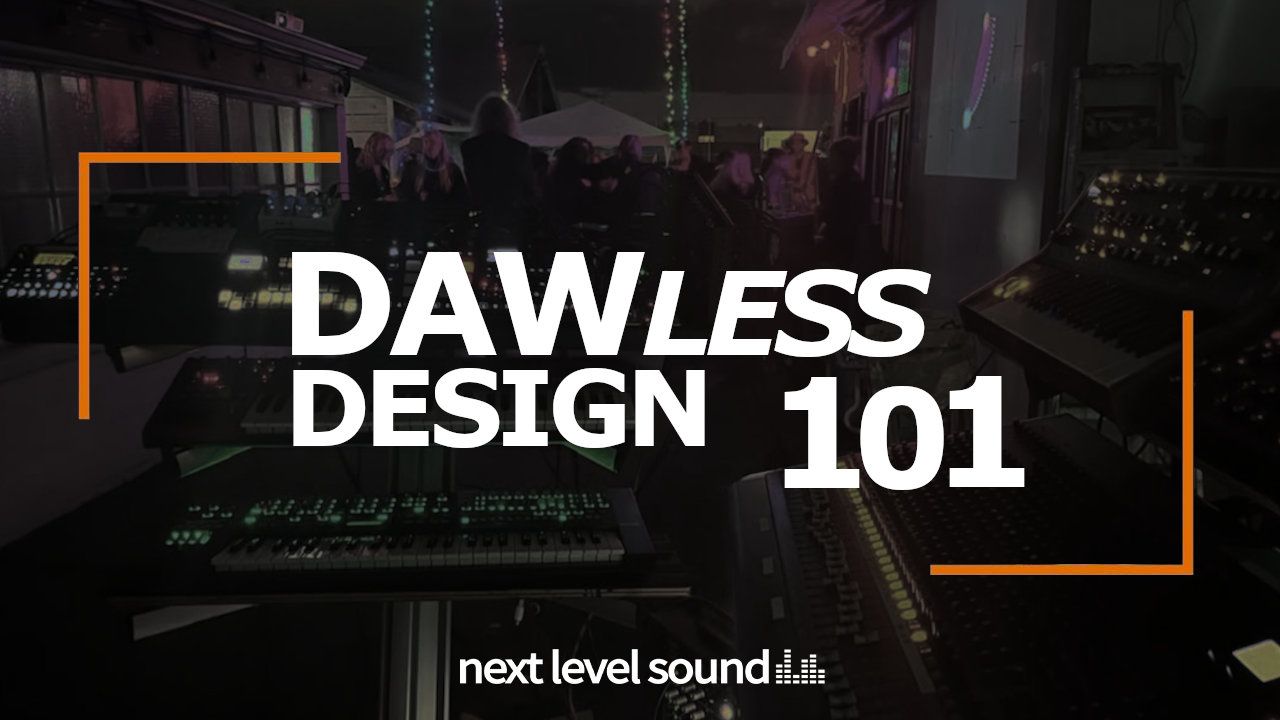

[ vt100's dawless synthesizer rig during a live performance ]
Welcome to Spaceship Design 101
Hello friends, welcome back. Recently I shared with you an article where we began to explore an unconventional style of electronic music production, dawless electronic music. In this style the music producer is focused on creating electronic music with music hardware exclusively, in real-time, at least for the purposes of composing and performing their music. This style is really not practical if I'm being honest, but it sure is fun. If you missed it, check out part 1 to learn more about the roots of dawless and why I find this artform so compelling.
When it comes to dawless electronic music production, the musician has quite a bit to think about and a seemingly infinite number of choices to make. Every step of the way is going to be unique and custom tailored to the musician by the musician themself. The musician is going to design a rig that has certain sound and control characteristics that specifically suit their own taste and style. Every dawless rig is a finite and limited sonic ecosystem that influences the music created within it; crafting your rig is just as much of an art as composing the music itself.
Dawless is the amalgamation of good ol' music production, music technology, and audio engineering; at least it works this way within my dawless perspective. I get to wear all the audio 'hats' at once. I truly have a hard time creating absolute distinctions between these topics as they all feed into each other as though they were sidechained. I'm gonna try anyway though because you are worth it. Today we're going to start by coupling a high level music hardware infrastructure design with a simple electronic music production workflow to learn how I designed my own dawless music environment. Strap in, heat up your coffee, and let's dive right in; this musical spaceship isn't going to build itself.
Designing a Musical Spaceship
From Daw to Dawless
But how do I begin to design something as nebulously defined as a real-time electronic music hardware ecosystem you ask? Funny as it may sound, for me dawless all started in the daw and grew from there. A simple idea, but somewhat ludicrous all the same:
What if I could perform a music studio on the stage?
Oh, but I'm getting a bit ahead of myself. Let's back up a pinch and come back to that idea in just a second. I think you all need some context first.
Way back in the day when I was working on my first record Strangle Quiet Sunset, I was working almost entirely in the box (50/50 split between logic and ableton). I was newer to electronic music so I didn't really have a lot of gear as gear is expensive versus the average soft synth. For hardware at the time I had an inherited Juno 6 (that I modded to add midi) and a Korg MS2000 (this later became the infamous microkorg), also inherited. This record took me about five years. When coupled with my more-than-fulltime computer job, the process completely wrecked my hands. While not quite carpal tunnel, but just as bad, I had a repetitive stress injury that would never fully heal.

[ Korg MS2000 synthesizer ]
Ah yes, the Korg MS2000. I actually had an MS2000B which was a slight hardware variation. A few years later they'd shrink this thing super tiny and rebrand it as the microkorg.
As curious as I was about what it would be like to make electronic music real synths, I was now presented with a forcing function: If I'm going to keep making music I've got to get away from using a computer mouse.
Once the album was completed I wanted to share it with the world in the way I was used to but I couldn't. Even before electronic music I was a bass player in a metal band. I never got that record contract but I did manage to open for national acts a couple times in the 10+ years I was a live nu metal musician. In the world of rock, once your record is done you get out there and you play it live for people on stage. Even though I had transitioned from metal to my other love, electronic music, I still wanted to bring that live magic to my fans. Alas I couldn't, my music only existed on CD and the best I could do was have a listening party with my friends. Gosh, I sure wish I could have been able to play something for a live audience.
Talk about anti-climactic.
Here I am, decades deep into my musical journey. I've ruined my hands and didn't even get to perform my music because I couldn't. I can't quit now, I love music. I'm just going to have to try something else. I definitely had some completely impractical ideas in the back of my mind and I really only knew how to produce electronic music inside a daw.
Okay fine, let's start there then. What if I could do what I do, in a daw, on stage, and never have to touch a computer mouse again in my life?
Seems as good of a place to start as any.

[ Pink Floydmixing console, black and white studio photo ]
There's a legend about the making of Pink Floyd's Dark Side of the Moon. In those days there was no automation. Alan Parsons in conjunction with the remainder of the band literally had to "perform" the mix in the studio, everyone turning knobs and adjusting faders at just the right times. If Pink Floyd can treat a music studio as an instrument, so can I.
Converting my DAW Workflow to Real-life
With all that said, I'd like to start getting technical; just a little. Also, we're still pretty far from even talking about gear or sound choices or my favorite cables. Today we're going to talk about the production workflows I used at the time inside the DAW and see how those concepts translate to real life, and gear.
Before I continue, there is something kind of funny I want to call out. The digital audio workstation itself is an abstraction of the music studio. I never worked in an old-school music studio despite being trained by folks who have mix recall trauma. And yet here I am going to now abstract the DAW into real life. It's not quite the same but I still think that's kinda funny.
In my early electronic music days I was a bit of a raver (yes, metalhead ravers, we exist, also: gabber). I thought I wanted to make trance or house (before I discovered glitch and krunk anyway, mmm glitch) and so I found a sweet set of tutorials on youtube from an artist who now escapes me. The workflow he used was something like this (pictured below):
- Setup a template that has drums, bass, a lead, a pad, some sound effects (risers and the like) and setup returns for 2 delays and 1 reverb
- Use the DAW sequencer to program music for software instruments adding whatever else you want
- Don't forget to side chain your kick and bass
- Build up an amazing loop on layer at a time, then build an arrangement
- Mix it in the DAW
- Throw a compressor on the master bus
- Boom, done, winning, you are now Tiesto

[ Basic DAW signal flow diagram ]
My OG DAW '4 on the floor' workflow. Keep in mind that each element is a software plugin running inside a DAW like Logic or Ableton. The sequencer performs the instruments which causes them to generate sound. All sounds are routed to the mixer and you are provided a sweet radio ready stereo file.
Each element in the above image exists in real life, outside of the computer:
● Hardware Sequencers - Sequencing is the word we use for programming music electronically. Sequencers have existed since forever and predate the DAW but most people have never seen one in real life. Generally sequencing comes in two flavors CV (control voltage) and MIDI (digital music notes). Because in the DAW I worked with MIDI, I chose to work with midi but you don't have to. Regardless of CV/Midi, the sequencer has control cables (in my case midi cables) that are directly connected to each instrument.
● Instruments - Synthesizers, Samplers, Drum machines all exist and have for decades much like hardware sequencers. There's artistry in which ones you pick of course, but you have lots of options. Each instrument will need one control cable to receive the musical performance from the sequencer. Each instrument will also need audio cabling to the mixer which will be dependent on whether the synth is mono or stereo (or multi-timbral, but more on that in another post).
● Send Effects - In a DAW we share delays and reverbs among multiple tracks in order to save DSP. In real life hardware is expensive so this makes even more sense. These are typically driven as send/returns from the mixer but there are many options for working with effects. Since I use stereo effects, each effect has 2 cables that come from the mixer (SEND) and 2 cables that go into the mixer (RETURN). And yes, for 3 effects you'll have 12 cables (have i mentioned that the secret is in the cables yet?).
● Mixer - The mixer's job is to bring all the sounds together and output stereo. Mixers also often provide facilities like compression, equalization and others but the capacity of those elements really depends on which mixer you have. Thanks to live music there are lots of choices here with some mixers being incredibly advanced. You can totally do dawless without a mixer, plenty of people do, but not me as I covet what a good mixer can do.

[ Squarp Pyramid MK1 hardware MIDI sequencer ]
Ah yes, my beloved Squarp Pyramid MK1. This hardware sequencer has seen two hardware revisions and been formally retired since I bought it. This little box has collaborated with me on 4 albums now and is the primary (but not the only) sequencer in my rig. I'd clean it, but as soon as I'm done with my current record I'm totally going to upgrade.
Now you don't necessarily need to implement each of these categories as discrete hardware components, that's just what I do, well, to a point anyway. Again, this is a perspective (mine), and there are many ways to go dawless.

[ Elektron Digitone FM synthesizer ]
Consider for a moment a device like the Elektron Digitone. This is a 4 part multi-timbral FM synth meaning it can play four different sounds at a time that are independent of one another. The digitone also features an internal sequencer which can be used to sequence itself and also up to 4 external devices; if I wanted I could ditch my standalone sequencer and use the digitone instead (except I don't want to). Musical devices are often able to do more than one job for your rig but it's up to you to decide what to use.
Inserts and the Master Bus
But didn't you say something about sidechaining a second ago?
Why yes I did, my how observant you are. I mentioned throwing a compressor on the master bus too. In dawless you can do whatever you want, though you'll have to figure out how to get it into the rig (yes friends, i'm talking about cables again). For me the fact is that I've never liked my mixes without sidechaining and master bus compression so let's go ahead and add that in, and maybe a saturator too cause its a bit cold in here.

[ Dawless hardware signal flow diagram with master bus processing ]
Now in the hardware domain, our updated diagram contains new elements. Also it is worth noting, the way I hook all this up is heavily dependent on the hardware choices I've already made. My drum machine has discrete outputs so I can route a kick to a hardware compressor to side chain it; this also requires that my mixer has inserts which it does. Then on the stereo out I've added a saturator and compressor to the signal path. I just use these elements to make my live performance that much better.
This is my insert and master bus portable rack and also where you realize I will stop at nothing for music. Starting at the bottom is the Presonus APC88 which is an 8 channel rack compressor; I can sidechain all 8 channels to the kick which means I can sidechain more than just my bass. Moving up is the Elysia Karacter and Elysia Xpressor Neo, my master bus saturator and compressor. You may think it's insane to bring mastering quality processors to a live show and you would be correct but I do it anyway. There's a bonus though, I can just hook the hardware up to my recording setup and I can use these for my mixing and mastering DAW-based work as well. Finally at the top is the Dangerous Source which I use to have better control of my headphone volume and the levels I send to the PA. For an exercise to the reader: try and figure out how many audio cables are needed to hook all this up (hint: it's a lot).
Looking Forward
Oh friends, we have so much more to talk about. What I've brought before you today is really just the beginning; the "hardware ethos" of my rig if you will. The reality though is that spaceships are complex and I've had 15+ years to figure out what I want to do with mine. Don't worry though, if there's one thing I love, it's breaking down music tech. And now that you all have some foundational knowledge I think we're ready to dive deeper. Maybe we can even "get into the weeds" a little in the upcoming episode. Look forward to part 3 and I will see you next time.
About the Author

[ vt100 / Carl Cosmos performing ]
What's up yo?
Carl Cosmos produces and performs music as vt100. While he got his start in DAW based music production, he has focused on dawless electronic music production for the last 15 years across varied genres. Electronic music rooted in reality and time, through vt100 he pursues a new authenticity for electronic music. He often refers to his dawless synthesizer setup as a "spaceship" due to the visible controls; it currently consists of 26 distinct pieces of gear focused around analog and digital subtractive synthesis, FM synthesis, and SID ("chip") synths with the very occasional sample dropped in for good measure. Currently he is working on vt100's fifth studio album Hyperspace and recently enrolled in the Next Level Sound mixing and mastering program.
Stay connected with news and updates!
Join our mailing list to receive the latest news and updates from our team.
Don't worry, your information will not be shared.